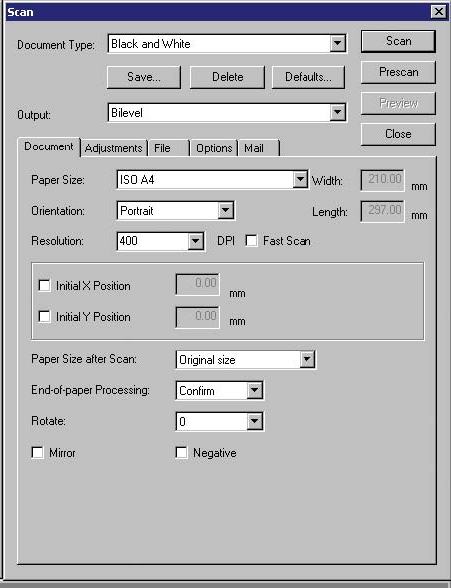
Select the Scan command from the Scan
menu or click the [Scan] button on the toolbar.
Change the Page size settings in the Scan
window.
Select the size of the document that contains the image
data you want to scan in. If you want to supply a user
define paper size here, type in the width and length of
the document.
Adjusting the Scanning Resolutions
Select the Scan command from the Scan
menu or click the [Scan] button on the toolbar.
Change the Resolution settings in the Scan
window by pulling down the resolutions button and select
from the list of available resolutions.